
Introduction
A queue is a linear data structure that follows the First-In-First-Out (FIFO) principle. Think of it like a line at a coffee shop: the first person to join the line is the first person to be served. Queues are essential for managing tasks in order, from handling print jobs to processing requests in web servers.
The code examples in this article use JavaScript's built-in array API (push, shift, etc.). The underlying concepts apply to queues in any language, but method names may differ.
Explanation
A queue operates on two main principles:
FIFO (First-In-First-Out): Elements are removed in the same order they were added. The first element you add is the first one you remove.
Core Operations:
Enqueue: Add an element to the back of the queue
Dequeue: Remove and return the element from the front of the queue
Peek: View the front element without removing it
isEmpty: Check if the queue has no elements
Let's see FIFO in action with a simple example:
const queue = [];

function enqueue(element) {
  queue.push(element);
}

function dequeue() {
  return queue.shift();
}

enqueue('First');
enqueue('Second');
enqueue('Third');
console.log('Queue:', queue);

const item1 = dequeue();
console.log('Removed:', item1);

const item2 = dequeue();
console.log('Removed:', item2);

console.log('Remaining:', queue);
Watch the visualization: Notice how “First” goes in first and comes out first, maintaining the exact order elements were added.
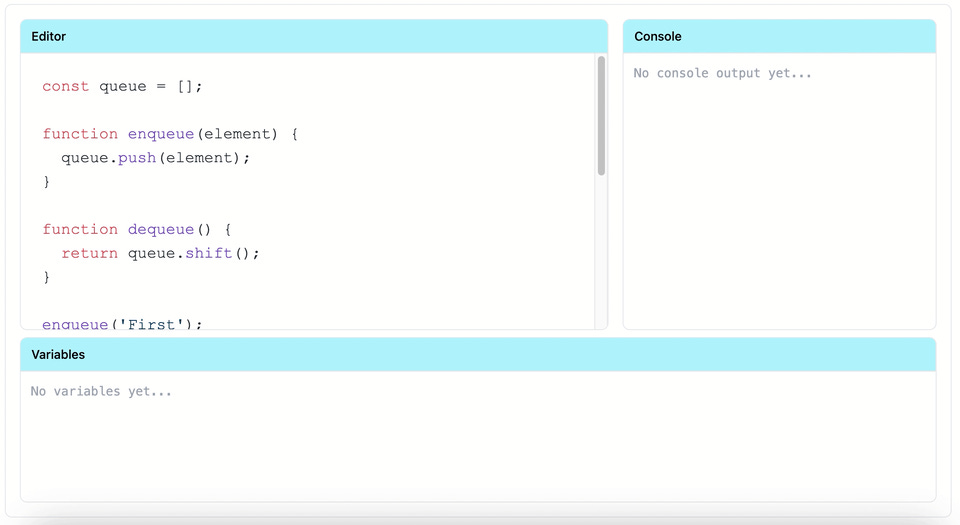
The key insight is that queues maintain order naturally. Unlike stacks where you work with the most recent item, queues ensure fair processing where older items get handled first.
Implementation
We'll implement a queue using an array with methods that maintain the FIFO principle. While arrays provide flexibility, we'll restrict operations to queue-specific behaviours.
Queue Class
class Queue {
  constructor() {
    this.items = [];
  }

  // Add element to the back of the queue
  enqueue(element) {
    this.items.push(element);
    console.log(`Enqueued: ${element}`);
  }

  // Remove and return element from the front
  dequeue() {
    if (this.isEmpty()) {
      console.log('Queue is empty');
      return null;
    }
    const removed = this.items.shift();
    console.log(`Dequeued: ${removed}`);
    return removed;
  }

  // View the front element without removing it
  peek() {
    if (this.isEmpty()) {
      return null;
    }
    return this.items[0];
  }

  // Check if queue is empty
  isEmpty() {
    return this.items.length === 0;
  }

  // Get the size of the queue
  size() {
    return this.items.length;
  }

  // Clear all elements
  clear() {
    this.items = [];
    console.log('Queue cleared');
  }

  // Display queue contents
  print() {
    console.log('Queue:', this.items.join(' <- '));
  }
}
Enqueue Operation
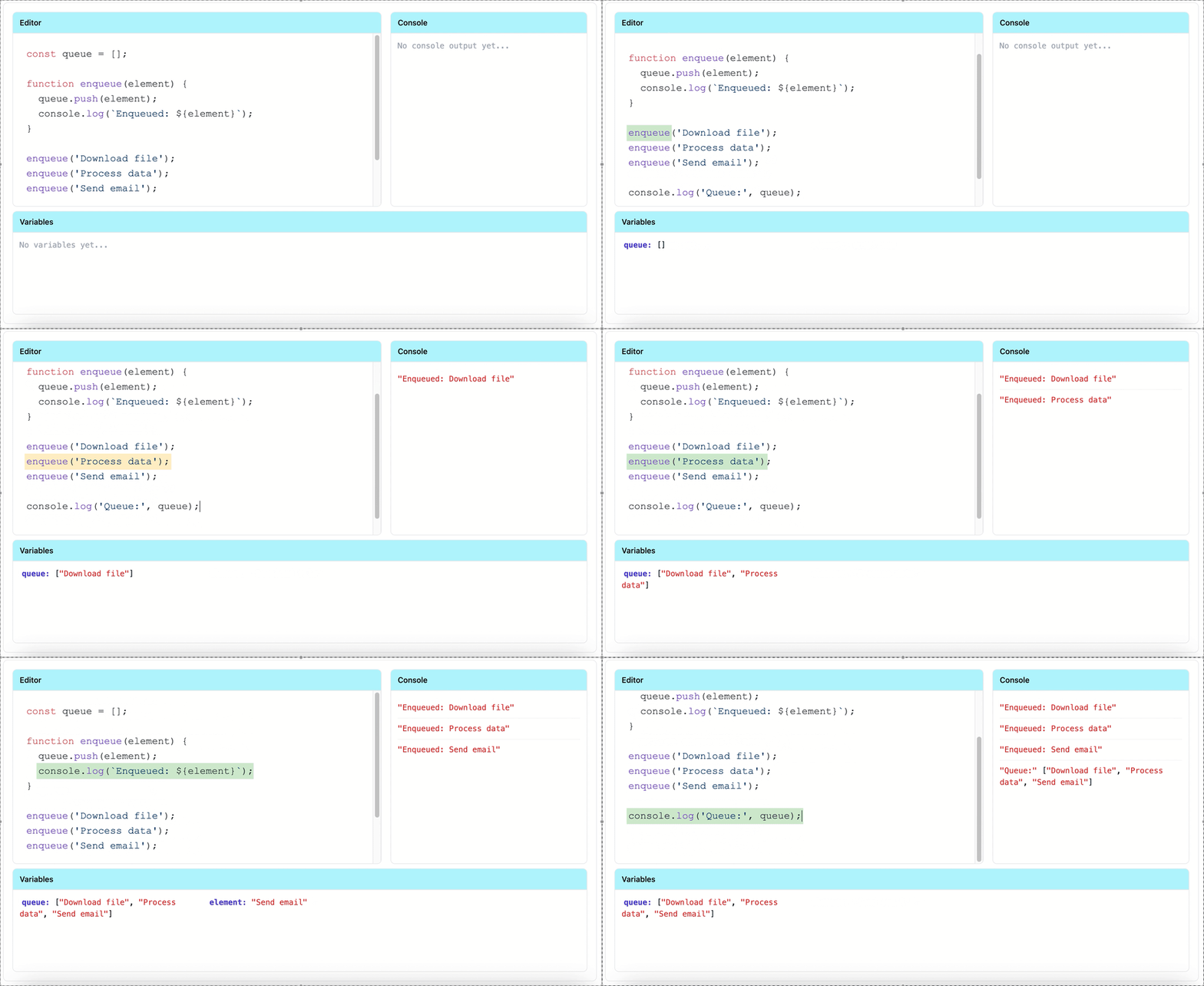
The enqueue operation adds elements to the back of the queue using push(). This ensures new elements always go to the end, maintaining FIFO order.
const queue = [];

function enqueue(element) {
  queue.push(element);
  console.log(`Enqueued: ${element}`);
}

enqueue('Download file');
enqueue('Process data');
enqueue('Send email');

console.log('Queue:', queue);
Watch the visualization: Each “push()” adds an element to the end. The queue grows from left to right, with new tasks joining at the back of the line.
Dequeue Operation
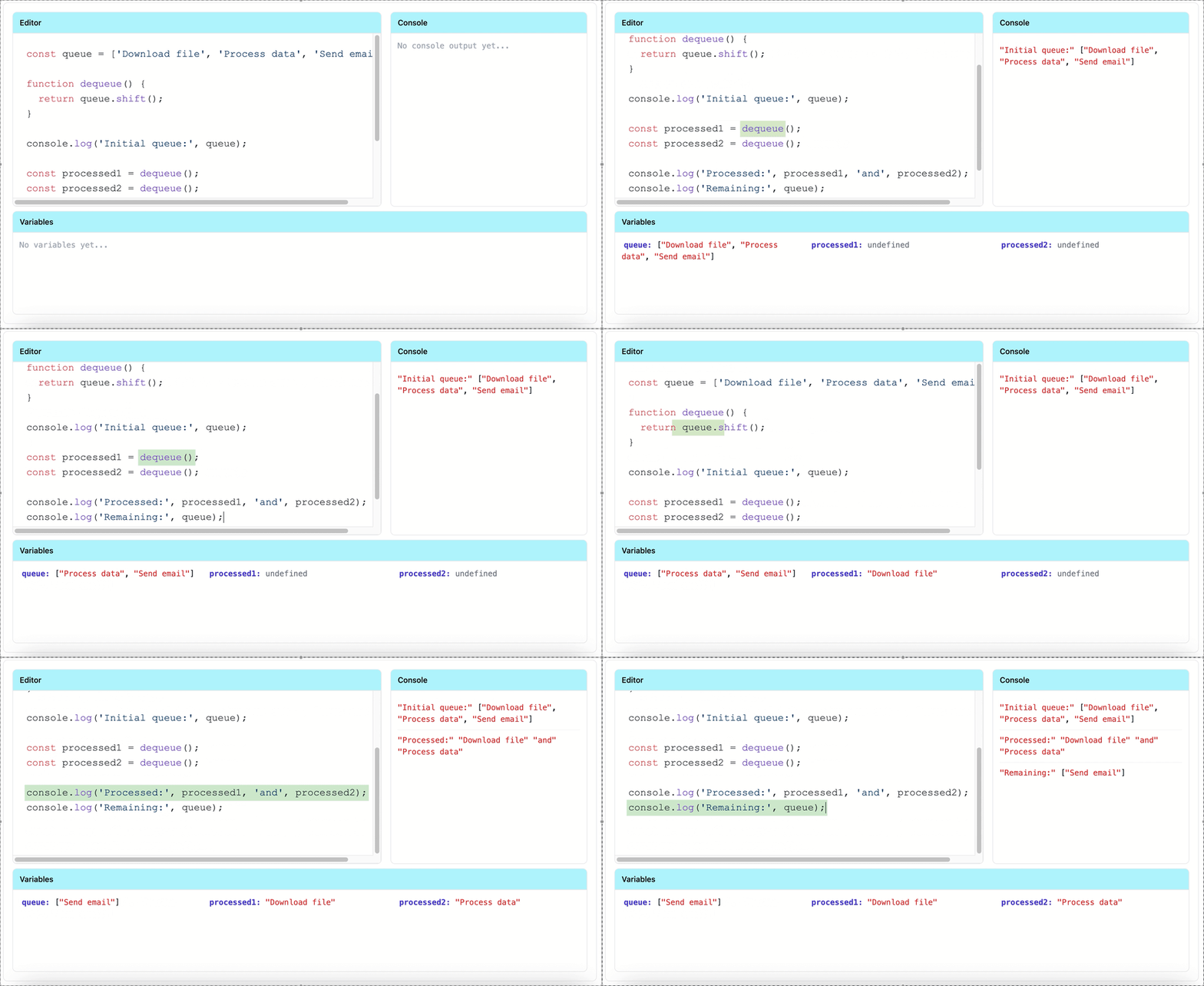
The dequeue operation removes and returns the element from the front using shift(). This maintains FIFO by always serving the oldest element first.
const queue = ['Download file', 'Process data', 'Send email'];

function dequeue() {
  return queue.shift();
}

console.log('Initial queue:', queue);

const processed1 = dequeue();
const processed2 = dequeue();

console.log('Processed:', processed1, 'and', processed2);
console.log('Remaining:', queue);
Watch the visualization: Notice how shift() always removes from index 0. The first task in gets processed first, and the remaining tasks shift forward in the queue.
Peek Operation
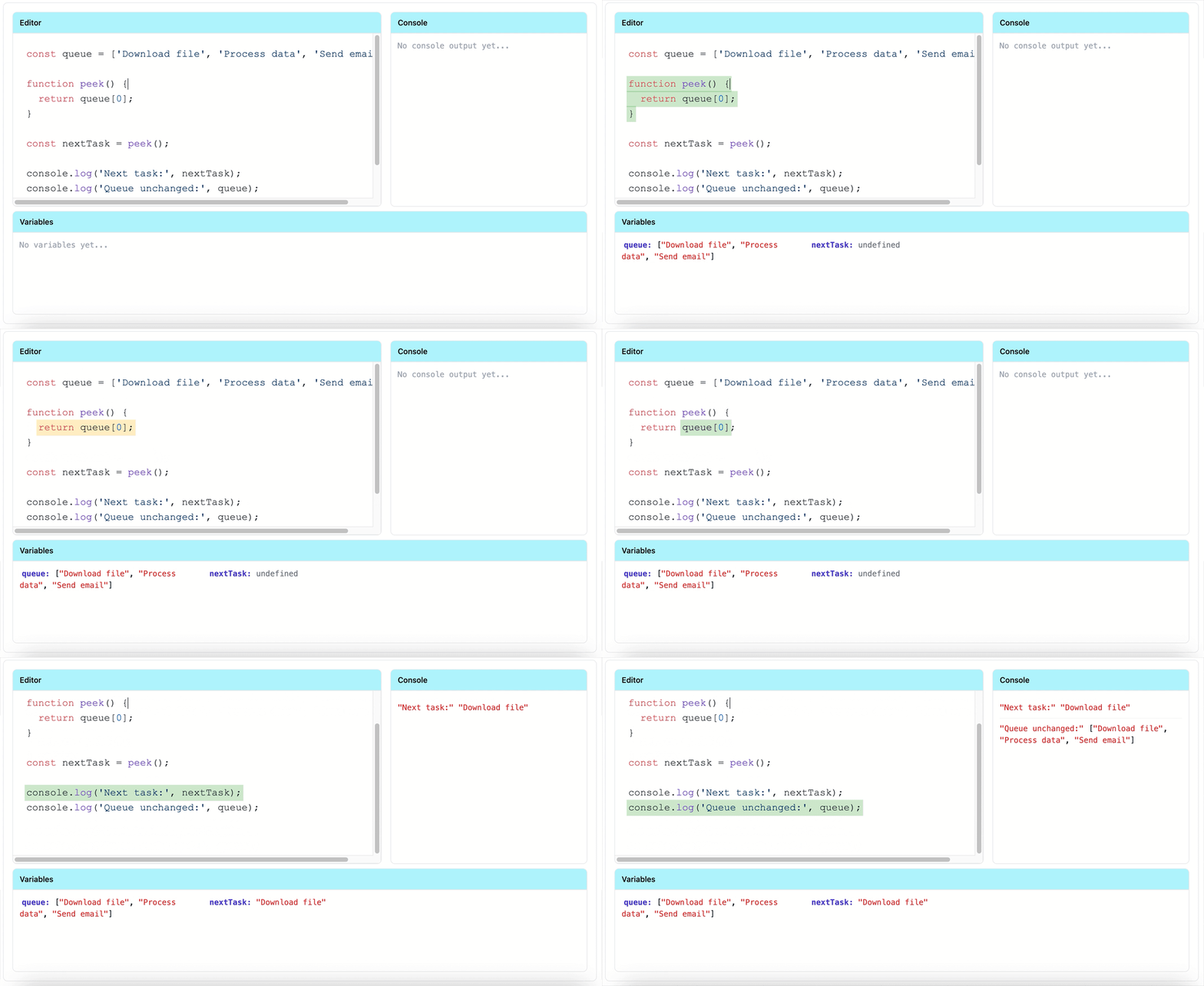
Peek lets you view the front element without removing it. This is useful when you need to check what's next without actually processing it.
const queue = ['Download file', 'Process data', 'Send email'];

function peek() {
  return queue[0];
}

const nextTask = peek();

console.log('Next task:', nextTask);
console.log('Queue unchanged:', queue);
Watch the visualization: The nextJob variable gets the value, but the jobQueue array remains unchanged. Peek is a read-only operation.
Complexity
Time Complexity:
Enqueue: O(1) - Adding to the end of an array is constant time
Dequeue: O(n) - Removing from the front requires shifting all remaining elements
Peek: O(1) - Accessing the first element is constant time
isEmpty/size: O(1) - Checking length is constant time
Space Complexity: O(n) - Where n is the number of elements stored in the queue